The PP-BFC feeder controller uses the MCU’s built-in oscillator as its mian clock source. Due to hardware consistency errors, when multiple boards communicate via serial ports, the clock discrepancies between them may approach or exceed the permissible limits, resulting in garbled data during communication. This can cause abnormal OpenPnP responses and affect operational stability.
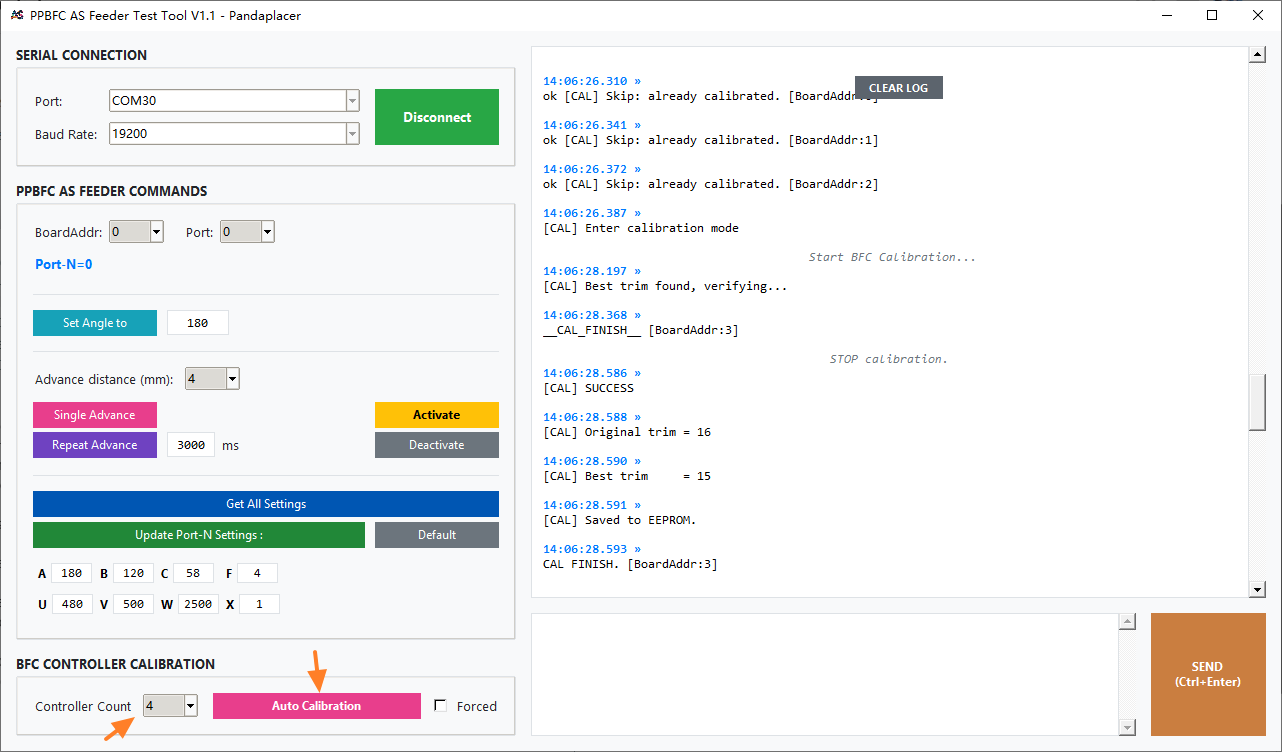
The latest version (20260404) of the BFC controller includes an automatic clock error calibration feature. Using serial commands in combination with software tool, you can automatically calibrate and compensate for clock errors, resulting in highly stable serial communication.
The update can be performed without modifying the hardware.
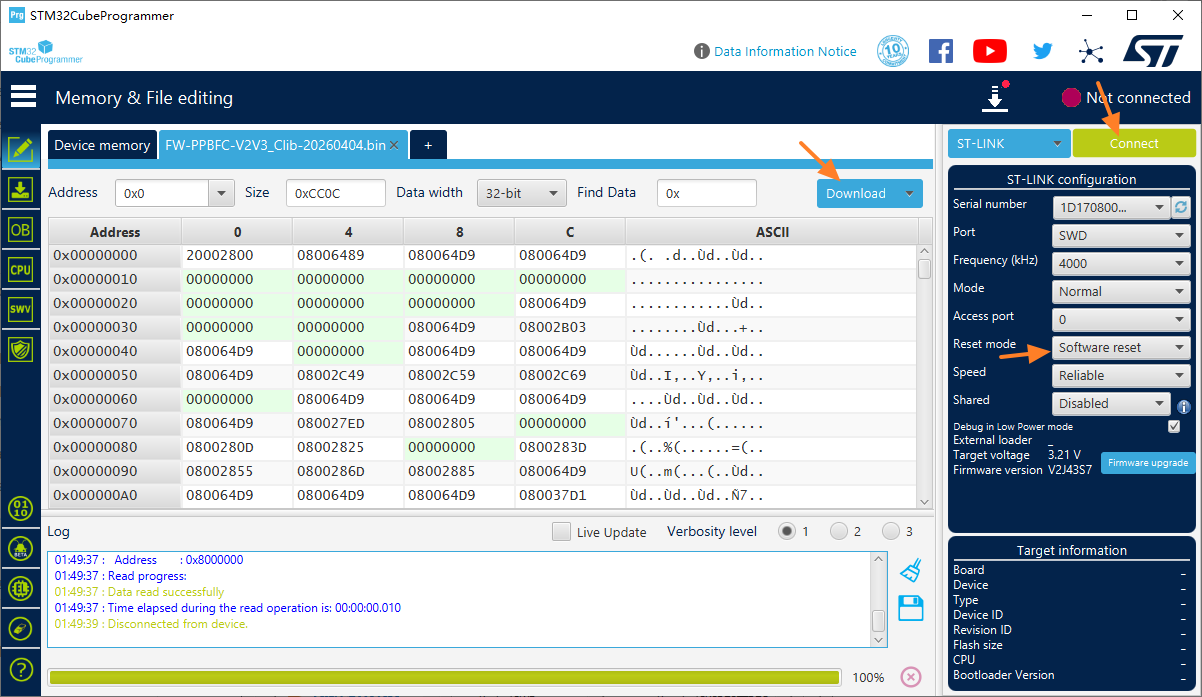
First, use STLink or DAPLink to update the firmware on all BFC controllers, then run the automatic calibration using software tool and the default serial hardware.
Firmware updates are completed using the standard SWD interface, which is supported by most ARM chips.
Specifically, both the BFC controller and the PPMC mainboard have a 4-pin-2.54 SWD interface (VCC, DIO, CLK, GND).
Both the STLink and DAPLink hardware support the SWD interface, only four pins need to be connected during programming. The programmer usually comes with some wires.
! The BFC operates at 5V; it is recommended to turn OFF the mian power supply during programming.
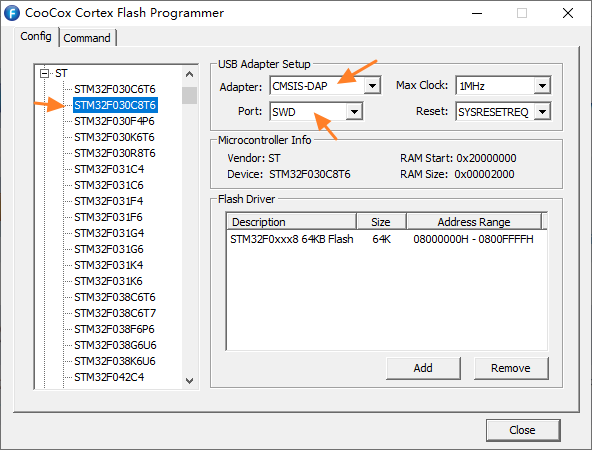
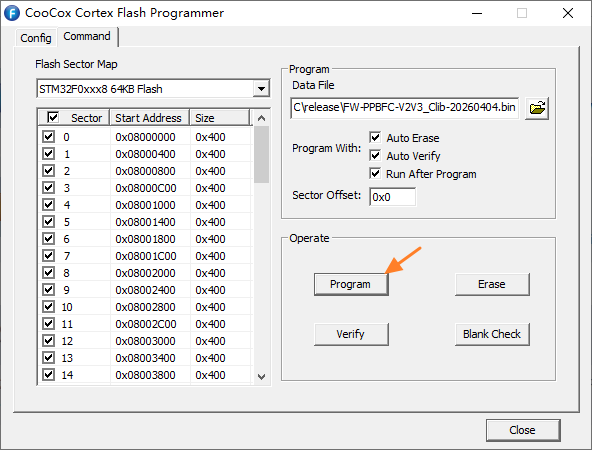
On the software side, there are also free tools available, such as CooCox CoFlash.
For the BFC controller update, select the configuration corresponding to the STM32F030C8T6, then upload the firmware (.bin) to the chip.
Pay attention to the USB power supply for the STLink/DAPLink and the reliability of the wire connection, as these may cause connection failures or interruptions.
do I flash one or do I flash all connectors to configure each chip?
You need to update the firmware for each BFC controller individually. If your USB cable to the STLINK/DAPLINK is long enough, you generally do not need to remove the BFC from the machine, leave the hardware as is.
After updating the BFC firmware, you can calibrate all cascaded BFCs at once using the new PPBFC_AS_Feeder_Test_Tool through the default USB-Serial port.